Building a codex-box for my house
I wanted something between a laptop, a home server, and a robot assistant.
For a while, I had a vague idea that I wanted one machine in my house that could act like a persistent software engineer for my own environment. Not just a chatbot in a browser tab, but an actual box on my network that could run code, keep state, reach my local tools, and be useful from my phone. I wanted the convenience of a personal operator, but I also wanted the feeling that it lived somewhere real.
That ended up turning into what I’ve been calling a codex-box: a private control surface for a DGX Spark that can run Codex, answer from a website, answer from a native iPhone app, and now even bridge into my smart home.
Why I wanted to build it
The thing I keep wanting from AI products is a little more physicality.
Most AI systems still feel like they live in a detached chat surface. They can reason about the world, but they do not really inhabit any part of mine. What I wanted instead was a machine in my house that could do useful work on my behalf and have real handles into the rest of my environment.
In practice, that meant three goals:
- A box on my local network that could run Codex persistently and safely.
- A control surface that felt good on both desktop and phone.
- A path from “answer my question” to “actually do something in the house.”
The fun part is that once you start building toward those goals, it stops being a toy quickly. You end up needing authentication, mobile UX, deployment safety, restart logic, and access control. In other words, you accidentally build a real product for one user.
The codex-box itself
The first step was turning the DGX Spark into a proper target rather than just a machine I occasionally SSHed into.
I built a small web app and API that can launch Codex runs on the box, stream output live, keep threads around, and let me continue an existing conversation instead of starting from scratch each time. Then I added a native iPhone client on top so I could use it away from my laptop without living in a remote terminal.
The most important design choice was keeping the heavy lifting on the local machine. The web surface is just a control layer. The actual work stays close to the hardware and the rest of my local network.
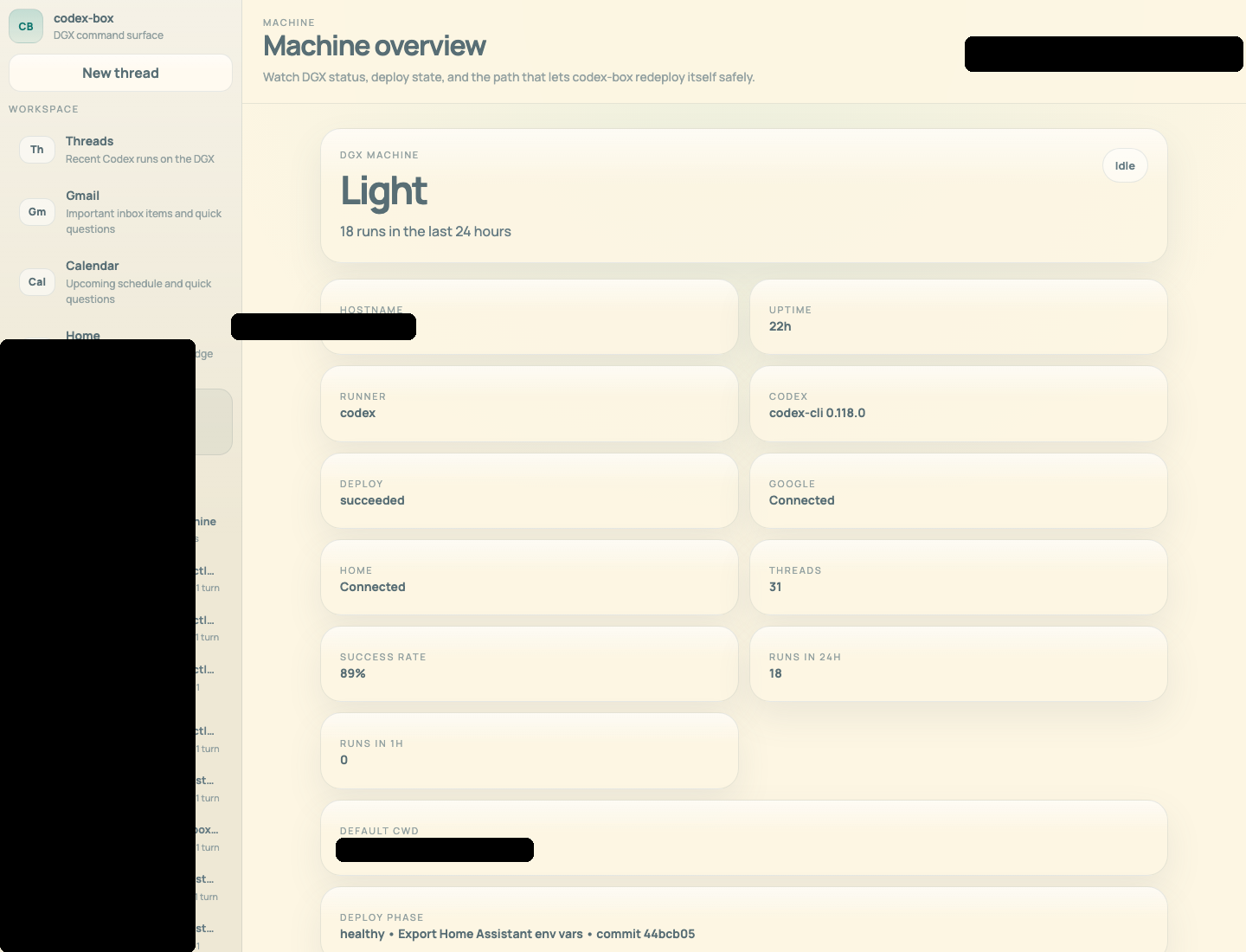
The product work was more interesting than I expected. The hard part was not “can I run a model on a box in my house?” The hard part was everything around it:
- getting multi-turn threads to behave like a real conversation
- making the UI not feel like an admin panel
- making self-updates safe enough that the app could edit and restart itself without bricking the only interface I had into it
That last part was especially fun. There is something satisfying about asking the system to change its own code, deploy the new version, and come back up cleanly.
Making it usable from my phone
Once the web version worked, it was obvious that I wanted the same thing on my phone. The official ChatGPT iPhone app is great for chat, but I wanted something that was deeply opinionated around my box: threads on the left, machine panels, home panels, and a lightweight composer that feels closer to a command surface than a generic mobile app.
So I built a native iPhone app for it too.
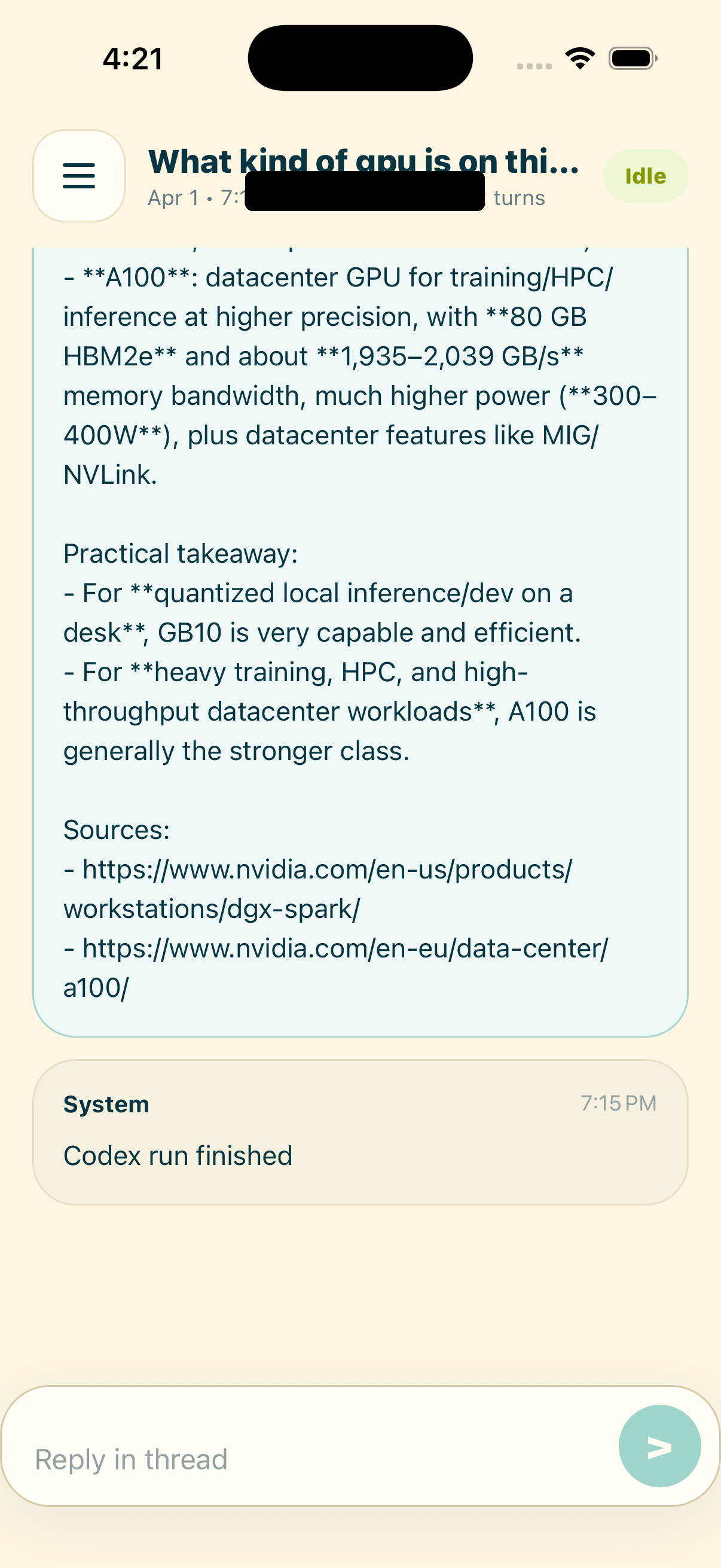
The mobile version taught me a different lesson: the line between “agent” and “app” matters less than I expected. Once the system can actually do useful things, the interface stops needing to be flashy. It just needs to be legible, fast, and predictable.
Giving it access to the house
The next step was the one I had been wanting from the beginning: letting the same system interact with my home.
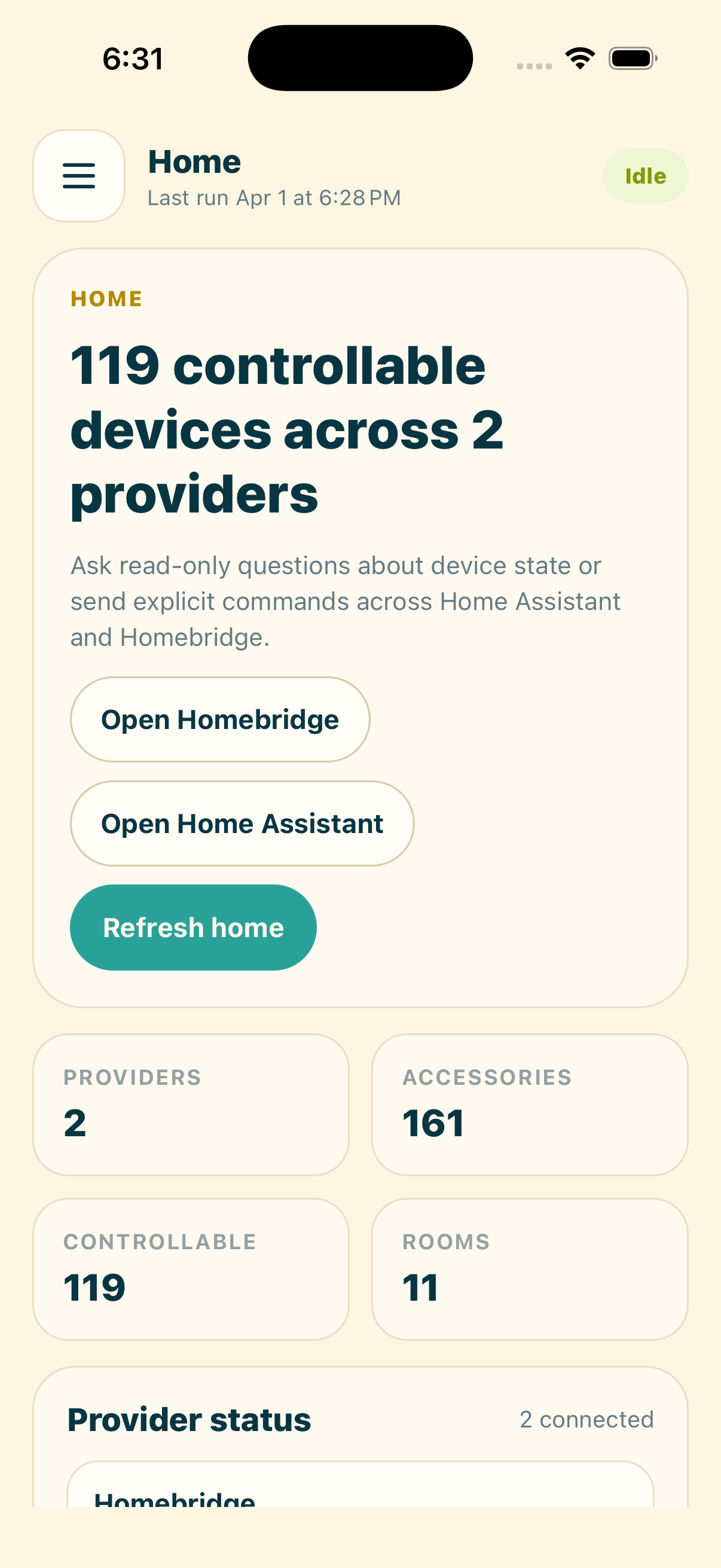
I already had both Homebridge and Home Assistant running locally, so I merged them into a unified Home panel inside the codex-box. That gave me one place to inspect device state, see whether integrations were healthy, and ask questions about the house without bouncing between dashboards.
ChatGPT Home Control
Once the house was represented cleanly inside the codex-box, the next obvious step was letting ChatGPT talk to the same system directly.
That gave me a surprisingly natural loop. I could ask for a quick snapshot of the house, sanity-check how many entities were available, and then move from read-only questions into real actions.
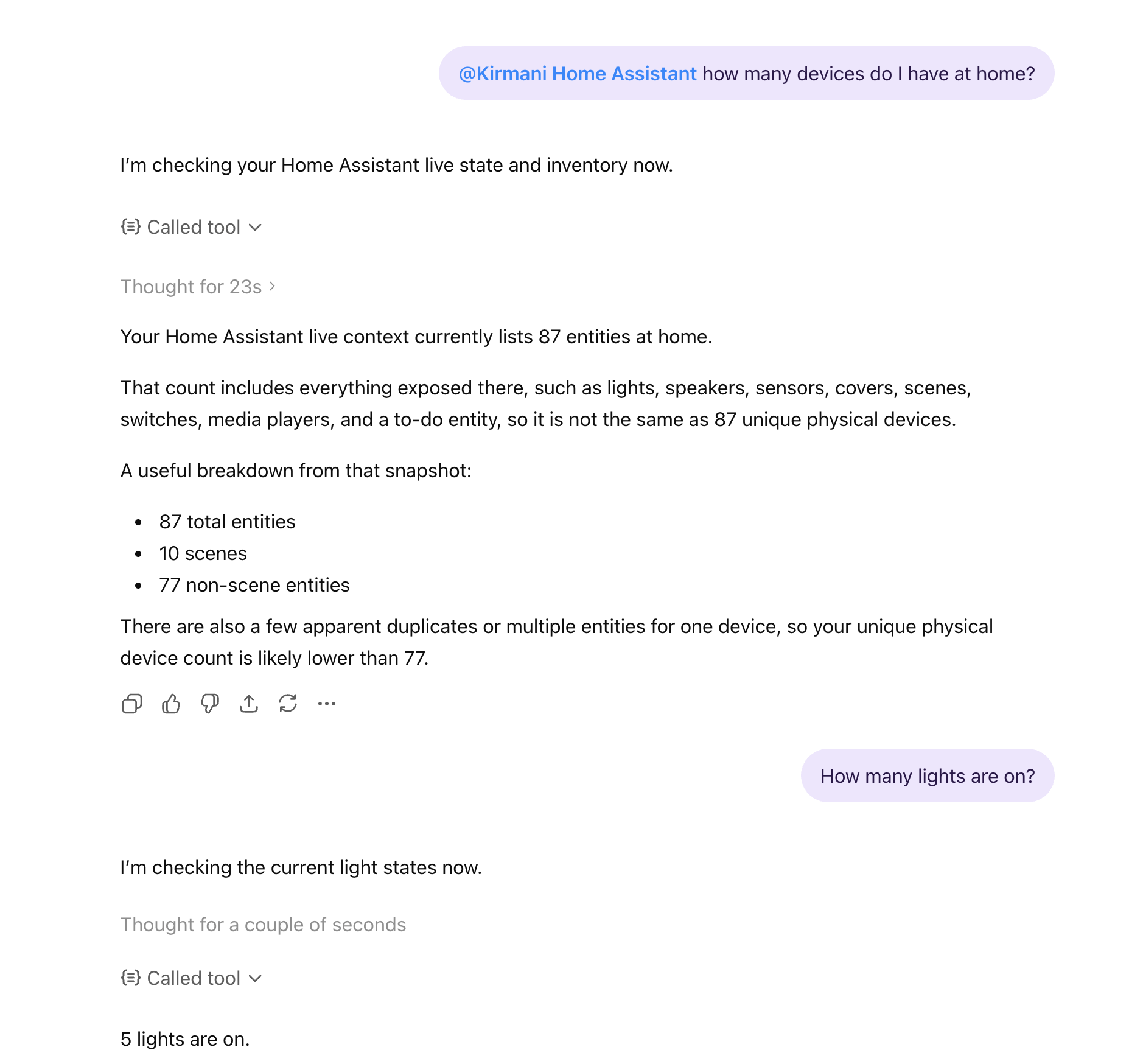
The fun part is that it stopped feeling like a demo almost immediately. Once the connector worked, it was useful in exactly the way I hoped: a normal chat interface that could answer questions about the state of the house and then do something concrete.
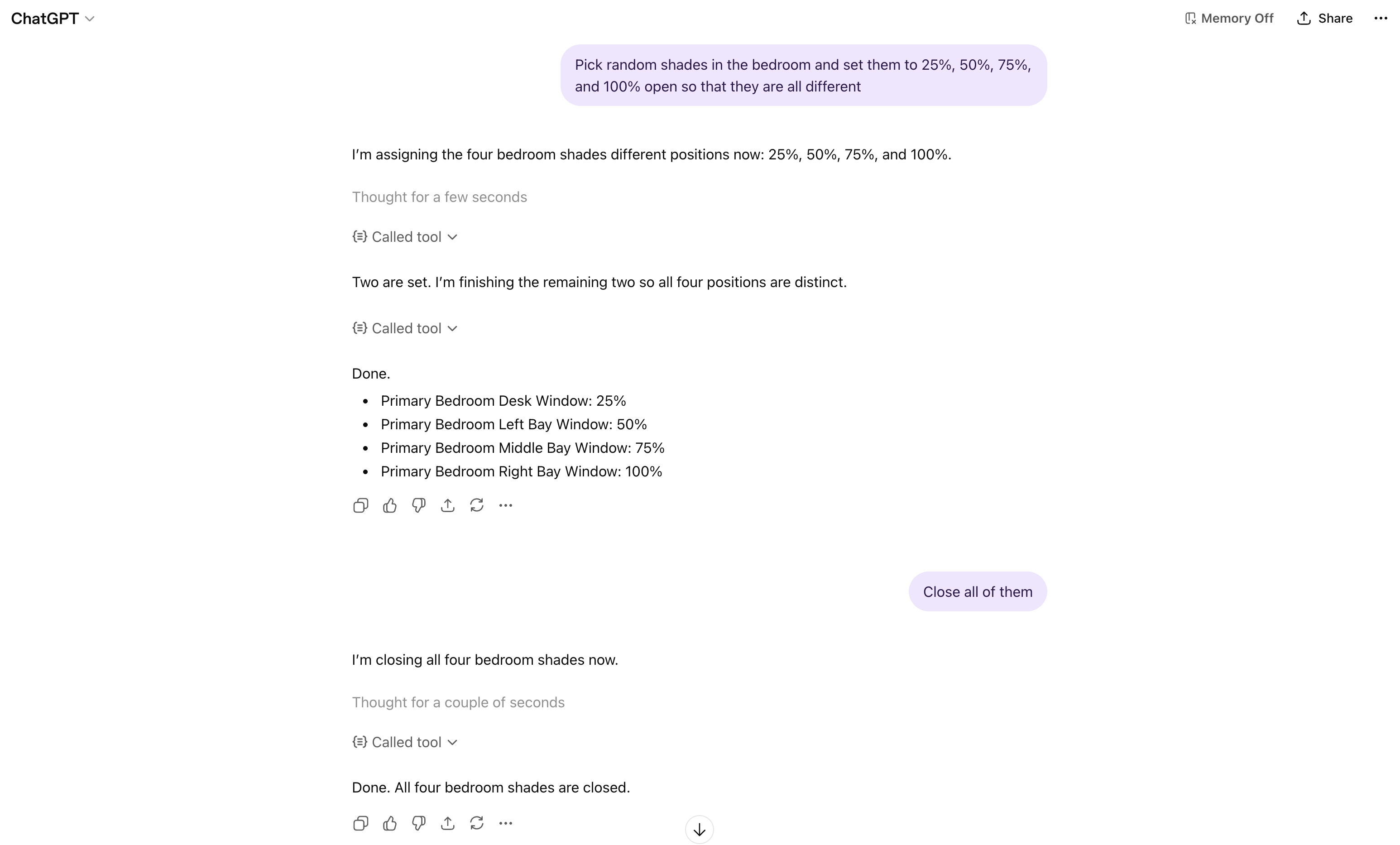
That was the moment the whole project clicked for me.
It is one thing to build a private control surface for a box on your network. It is another to ask ChatGPT to interact with your actual house and watch it work. The first time I was able to control my shades through the MCP connection, it felt less like “I added a plugin” and more like I had finally given the model a clean interface to a real environment.
What surprised me
The surprising part of this project is how little of it was about raw model capability.
Codex was already good enough to be useful. Home Assistant already had the right primitives. The real work was making all of those pieces coexist without turning the system into a fragile pile of one-off scripts.
A few things became obvious along the way:
- The difference between a demo and a product is restart behavior.
- Mobile matters much earlier than you think.
- Local-first infrastructure paired with narrow, deliberate integrations feels like the right shape for personal AI systems.
That last point is probably the main takeaway for me. I do not want a smart home that depends on some random third-party cloud service understanding my house. I do want a local system with tight, explicit interfaces when I choose them.
Where I want to take it next
I think the most interesting future for this is not “make my lights turn on with AI.” That part is trivial.
The more interesting version is a personal system that can move across layers of abstraction:
- answer questions about my codebase
- update its own interface safely
- understand my calendar and inbox
- inspect the state of my house
- take action only through well-defined, authenticated control surfaces
That starts to look less like a chatbot and more like an actual personal computing environment.
I like that direction a lot.